
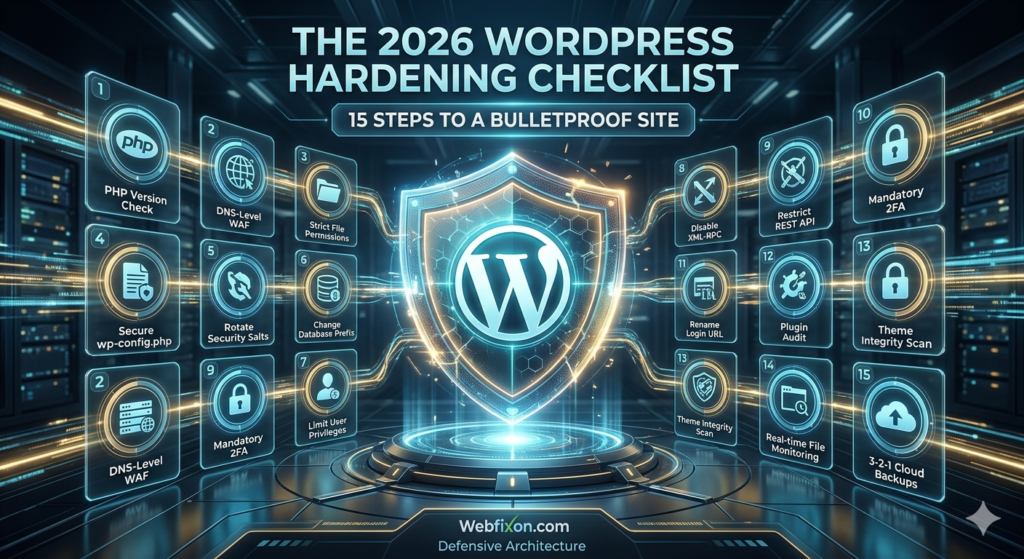
In the digital landscape of 2026, a WordPress website is no longer just a collection of pages; it is a complex engine powering your business, your brand, and your customer data. However, as WordPress maintains its dominance, powering nearly half of the internet, it remains the “Great Whale” for cybercriminals. The threats we face today have evolved. We are no longer just fighting bored teenagers or basic script kiddies; we are up against AI-driven botnets that can test thousands of vulnerabilities per second.
While recovering from a breach is a service we provide—as outlined in our previous guide on 2026 Malware Removal—the most successful digital entrepreneurs know that proactive defense is the only way to scale without fear. True security is about Defense in Depth: a multi-layered architecture where, if one wall is breached, three more stand behind it.
This is your definitive, 1,300-word blueprint for hardening WordPress in 2026.
1. The Foundation: Server-Level Fortification 🏗️
Security begins in the basement. If your server is weak, the most secure WordPress configuration in the world won’t save you.
Upgrade to PHP 8.4+ and Beyond
Many site owners overlook their PHP version, but in 2026, running on PHP 7.4 or even 8.0 is an invitation for disaster. Each new iteration of PHP doesn’t just offer “performance boosts”—it closes critical memory-leak vulnerabilities and execution flaws that hackers exploit to run “Remote Code Execution” (RCE). Ensure your hosting environment is strictly pinned to the latest stable release.
Implement a DNS-Level WAF (Web Application Firewall)
Don’t wait for the “bad guys” to knock on your server’s door. A DNS-level firewall (like Cloudflare, Sucuri, or Bunny.net) intercepts traffic at the edge. By the time a malicious bot from a known “bad actor” IP tries to access your site, the WAF has already challenged it with a JS-challenge or blocked it entirely. This saves your server resources and prevents your site from going down during a DDoS attack.
Mastering Unix File Permissions
The classic “777” permission (everyone can read, write, and execute) is the #1 cause of cross-site contamination. For a bulletproof site, you must strictly enforce:
Folders: $755$ (Owner can do anything, others can only read/execute).
Files: $644$ (Owner can read/write, others can only read).
wp-config.php: $400$ or $440$ (Making it read-only even for the owner where possible).
2. Hardening the wp-config.php File 🧠
The wp-config.php file is the “Master Key” to your kingdom. It contains your database credentials and security salts. If this is compromised, your site is effectively gone.
Disabling the Built-in File Editor
By default, WordPress allows admins to edit theme and plugin code directly from the dashboard. This is a massive liability. If a hacker gains entry to your dashboard, they will immediately go to the editor to inject a permanent backdoor.
Add this line to your config:
define( 'DISALLOW_FILE_EDIT', true );
This simple step forces all code changes to happen via SFTP, which is significantly more secure.
Rotating Your Security Salts
Most people install WordPress and never look at their security salts again. These salts encrypt the information in your cookies. If your site was ever moved or if you suspect a breach, go to the WordPress API Salt Generator and replace the old ones. This will instantly log out every user, including any hackers lurking in an active session.
Moving the Config File
Did you know that WordPress naturally looks one directory above your public folder for the wp-config.php file? By moving this file out of the public_html root, you make it much harder for automated scripts to locate and scrape it.
3. Database Integrity & Obfuscation 🗄️
Hackers love patterns. If they know your database prefix is wp_, they can craft SQL injection attacks with 100% accuracy.
Changing the Default Prefix
The first thing any automated SQL injection script looks for is wp_users. By changing your prefix to something randomized—like wf_92x_—you force the attacker to guess your table names. This “security through obscurity” isn’t a total solution, but it adds a significant layer of friction that causes most bots to move on to an easier target.
Database User Privileges
Your WordPress database user doesn’t need “DROP” or “GRANT” permissions for daily operation. Work with your developer to limit the DB user to only the permissions it needs (SELECT, INSERT, UPDATE, DELETE). This prevents a hacker from deleting your entire database even if they manage to inject a command.
4. Eliminating Legacy Vulnerabilities 🕸️
WordPress carries a lot of “baggage” from the early 2000s for backward compatibility. In 2026, most of this baggage is just a security hole.
The XML-RPC Threat
XML-RPC was designed for remote posting and mobile app communication. However, it is the primary vector for Brute Force Amplification attacks. A hacker can try 500 password combinations in a single XML-RPC request, bypassing most “limit login” plugins. Unless you are using Jetpack or the WP Mobile App, disable this immediately via your .htaccess file.
Restricting the REST API
The WordPress REST API is a powerful tool for developers, but it also leaks data. By default, it can reveal your user list (/wp-json/wp/v2/users), which gives hackers a list of usernames to start brute-forcing. Hardening your REST API to require authentication for these endpoints is a vital 2026 security step.
5. Modern Authentication: Beyond Passwords 🔐
Passwords are the weakest link in the security chain. Human beings are predictable, and AI-powered password crackers can now guess millions of combinations in seconds.
The Transition to Passkeys (WebAuthn)
In 2026, we are moving away from traditional passwords. Implementing Passkeys allows users to log in using biometric data (FaceID, Fingerprint) or hardware keys (Yubikey). This is virtually unhackable via traditional phishing or brute-force methods.
Mandatory Two-Factor Authentication (2FA)
If you aren’t ready for Passkeys, 2FA is the bare minimum. Every account on your site with “Editor” or “Administrator” privileges must be forced to use an authenticator app. SMS-based 2FA is no longer considered secure due to “SIM swapping” attacks; stick to TOTP apps like Google Authenticator or Authy.
Renaming the Login URL
Every bot on the planet knows that webfixon.com/wp-admin is the door. By moving your login page to a custom URL (e.g., /backstage-access), you eliminate 99% of automated bot traffic. It’s like hiding your front door behind a secret panel.
6. Plugin & Theme “Hygiene” 🧼
You are only as secure as your weakest plugin. Many hackers don’t attack WordPress itself; they attack a poorly coded plugin with 500 active installs.
Beware of Supply Chain Attacks
A “Supply Chain Attack” happens when a reputable plugin developer sells their plugin to a new company, which then injects malicious code into the next “update.” In 2026, you must vet your plugins. Only use software from developers with a proven track record, and never—ever—use Nulled (Pirated) themes. Nulled themes are the #1 source of malware in the WordPress ecosystem, almost always containing “Phone Home” scripts that give hackers full access.
The “Plugin Minimalist” Rule
Every line of code is a potential vulnerability. If a plugin hasn’t been updated in six months, find an alternative. If you have five plugins that all do “SEO,” pick one and delete the rest. A lean site is not only faster; it has a smaller “attack surface.”
7. Advanced Monitoring & The 3-2-1 Backup Rule 📡
Even the best-protected sites can fall to a “Zero-Day” exploit (a vulnerability that is discovered by hackers before a patch is released).
Real-Time File Integrity Monitoring
You need a system that alerts you the second a file is changed. If your index.php is modified at 2:00 AM, and you didn’t do it, you need to know immediately. Tools like Webfixon’s monitoring suite track file checksums to detect unauthorized injections instantly.
The 3-2-1 Backup Strategy
Backups are your “Escape Pod.”
3 copies of your data: The live site plus two backups.
2 different formats: E.g., a cloud backup and a local server snapshot.
1 copy off-site: This is the most important. If your server is hacked, the hacker will often delete the backups on that same server. You must have an encrypted copy on an external cloud (S3, Dropbox, or a dedicated backup vault).
Conclusion: Security is a State of Mind 🧘♂️
Hardening your WordPress site isn’t a one-time task you check off a list. It is a continuous process of auditing, updating, and monitoring. As technology moves forward, so do the methods of those looking to exploit it.
In 2026, site speed and SEO are vital, but Security is the foundation they sit upon. Without it, your hard work can vanish in an afternoon. By following this 15-step checklist, you are positioning your website—and your business—far ahead of the competition.
Ready to Build Your Fortress?
If this checklist feels overwhelming, you don’t have to do it alone. At Webfixon, we live and breathe WordPress security. From advanced server hardening to real-time threat detection and off-site backup management, we handle the technical “heavy lifting” so you can focus on growing your business.
Contact Webfixon today for a comprehensive Security Audit and let’s make your site bulletproof.
Add a Comment