
If you’re running a business website on WP Engine, you already know the platform is one of the best in the world. Fast, reliable, and built for WordPress. But here’s something most site owners don’t realize: managing backups, monitoring site health, and staying on top of multiple WordPress installs manually is a time-consuming job — and when something goes wrong at 2 AM, every minute counts.
That’s why at Webfixon, we’ve built something specifically for our maintenance clients.
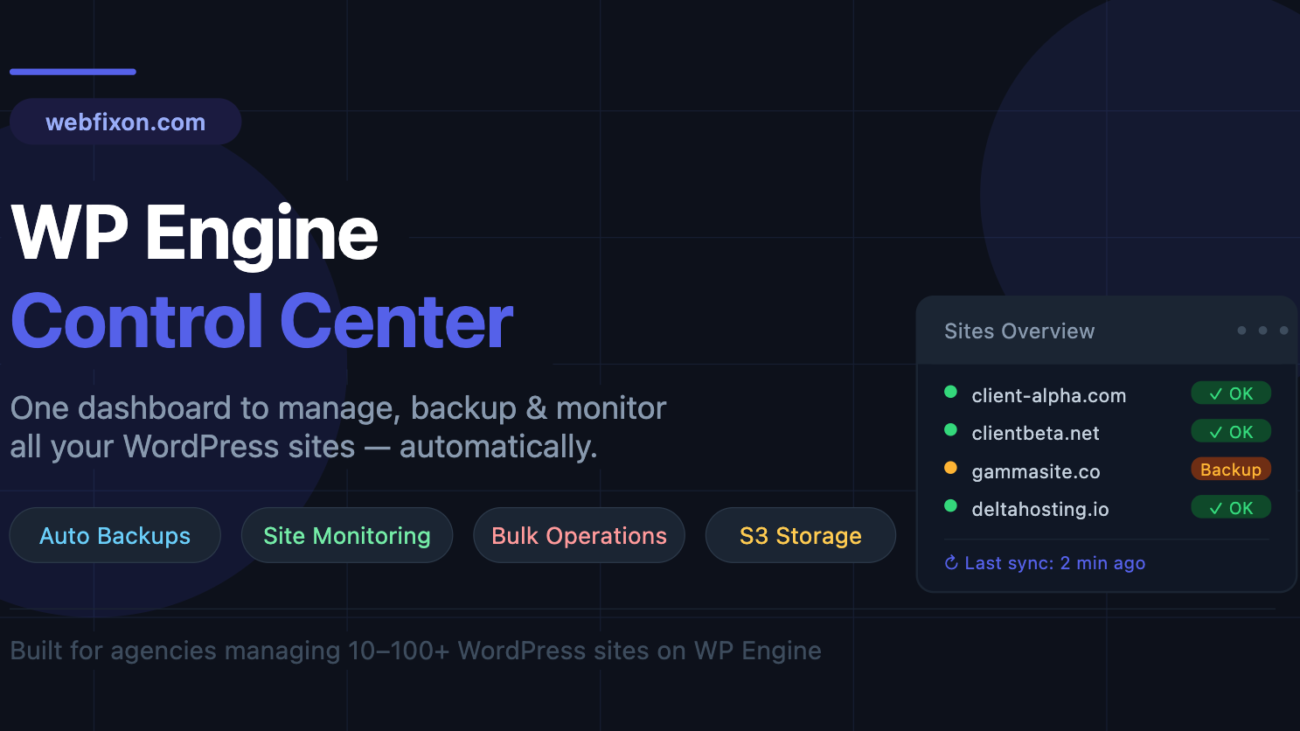
We call it the WP Engine Control Center — a private dashboard we use behind the scenes to manage, protect, and monitor your WordPress site automatically, so you never have to think about it.
What Is WP Engine Control Center?
WP Engine Control Center is a custom-built SaaS platform that connects directly to the WP Engine API. It gives our team a single place to oversee every client site we manage — handling automated backups, real-time monitoring, and bulk site operations all in one dashboard.
Think of it as the mission control for your WordPress website.
What It Does For Your Website
✅ Automated Daily Backups — Without You Lifting a Finger
Every client site we manage gets automatic daily backups triggered through the WP Engine API. The backup runs at a scheduled time, gets verified as complete, and is then uploaded securely to Amazon S3 cloud storage.
What this means for you:
- Your site data is backed up every single day
- Backups are stored offsite in the cloud — completely separate from WP Engine
- If anything ever goes wrong (a bad plugin update, a hack, accidental deletion), we can restore your site fast
- You receive an email confirmation every time a backup succeeds or fails
Most clients come to us having never set up a proper backup system. One bad update and they’ve lost days or weeks of work. With this system in place, that risk disappears.
📊 Real-Time Site Monitoring
Our dashboard shows the live status of your site at all times. We track:
- Whether your site is running and responding normally
- When your last successful backup was completed
- Any errors or failed jobs that need attention
- Backup file size and how much cloud storage is being used
We see issues before they become problems. And when something does go wrong, our team gets notified automatically — not after you email us.
⚡ Instant Manual Backups Before Any Update
Before we make any significant change to your site — updating plugins, switching themes, modifying code — we trigger a fresh backup right from the dashboard. One click. The backup runs in the background while we work.
This gives us a clean restore point for every major action we take on your site. No surprises, no “I wish we had a backup from before that change.”
📋 Full Backup History & Logs
Every backup ever run on your site is logged with:
- Date and time of the backup
- Whether it succeeded or failed
- File size of the backup
- Where it is stored in the cloud
- A full event log showing exactly what happened step by step
If you ever want to review your backup history, it’s all there — organized, searchable, and clear.
📬 Email Alerts So You’re Never in the Dark
Our notification system sends automatic emails when:
- A backup completes successfully ✓
- A backup fails for any reason ✗
- A retry attempt is made after a failure
You don’t have to log in anywhere or check anything manually. The system keeps you informed without adding noise to your day.
🔁 Smart Retry System
If a backup fails — maybe WP Engine was briefly unavailable, or there was a network timeout — our system doesn’t just give up. It automatically retries up to three times, with increasing delays between each attempt to avoid overwhelming the API.
This means the vast majority of temporary failures are resolved automatically, without any action needed from our team or from you.
Why This Matters for Your Business
Here’s the honest truth: most small and medium business websites don’t have a proper backup strategy. WP Engine does keep its own backups, but they’re not permanent, they’re not offsite, and recovering from them takes time and often requires a support ticket.
Our system gives you a second layer of protection that is:
- Automatic — runs on a schedule, no human required
- Redundant — stored separately from WP Engine’s own system
- Monitored — we know if it fails before you do
- Documented — every backup logged and traceable
For a business that depends on its website — for bookings, sales, leads, or communication — downtime is lost money. A broken site without a recent backup is a nightmare. This system makes both of those scenarios far less likely and far easier to recover from.
What This Looks Like as a Webfixon Client
When you’re on one of our maintenance plans, here’s what happens automatically in the background:
- Daily backup runs at a set time each night
- Backup file is verified as complete by our system
- File is uploaded securely to cloud storage
- You receive a confirmation email
- Our team’s dashboard updates with your latest backup status
- If anything goes wrong, we’re notified instantly and the retry system kicks in
You don’t do anything. It just works.
And if you ever need a restore — whether from a hack, a bad update, or anything else — we can get your site back to a working state quickly, because we always have a recent, verified backup ready to go.
Frequently Asked Questions
Is this included in my maintenance plan? Yes. All Webfixon maintenance clients have their sites managed through this system. Backup automation and monitoring are part of what we do.
Where are my backups stored? Backups are stored in Amazon S3, which is one of the most reliable cloud storage systems in the world. Your data is encrypted and stored separately from WP Engine.
Can I request a backup at any time? Absolutely. Just contact us and we can trigger a manual backup of your site immediately before any work begins.
What if a backup fails? Our system retries automatically. If it continues to fail, our team is notified and we investigate the cause. You also receive an email alert so you’re aware.
Do I need to install anything? No. This is a system we operate on the backend. There’s nothing for you to install or configure on your website.
Ready to Stop Worrying About Your WordPress Site?
The WP Engine Control Center is one of the many tools we use to give our clients real peace of mind. When you work with Webfixon, your site is being looked after — not just when something breaks, but every single day in the background.
If you’re currently managing your own WordPress site on WP Engine without a proper backup and monitoring system, we’d love to talk.
👉 Get in touch with Webfixon and let’s make sure your website is protected.